.svg)
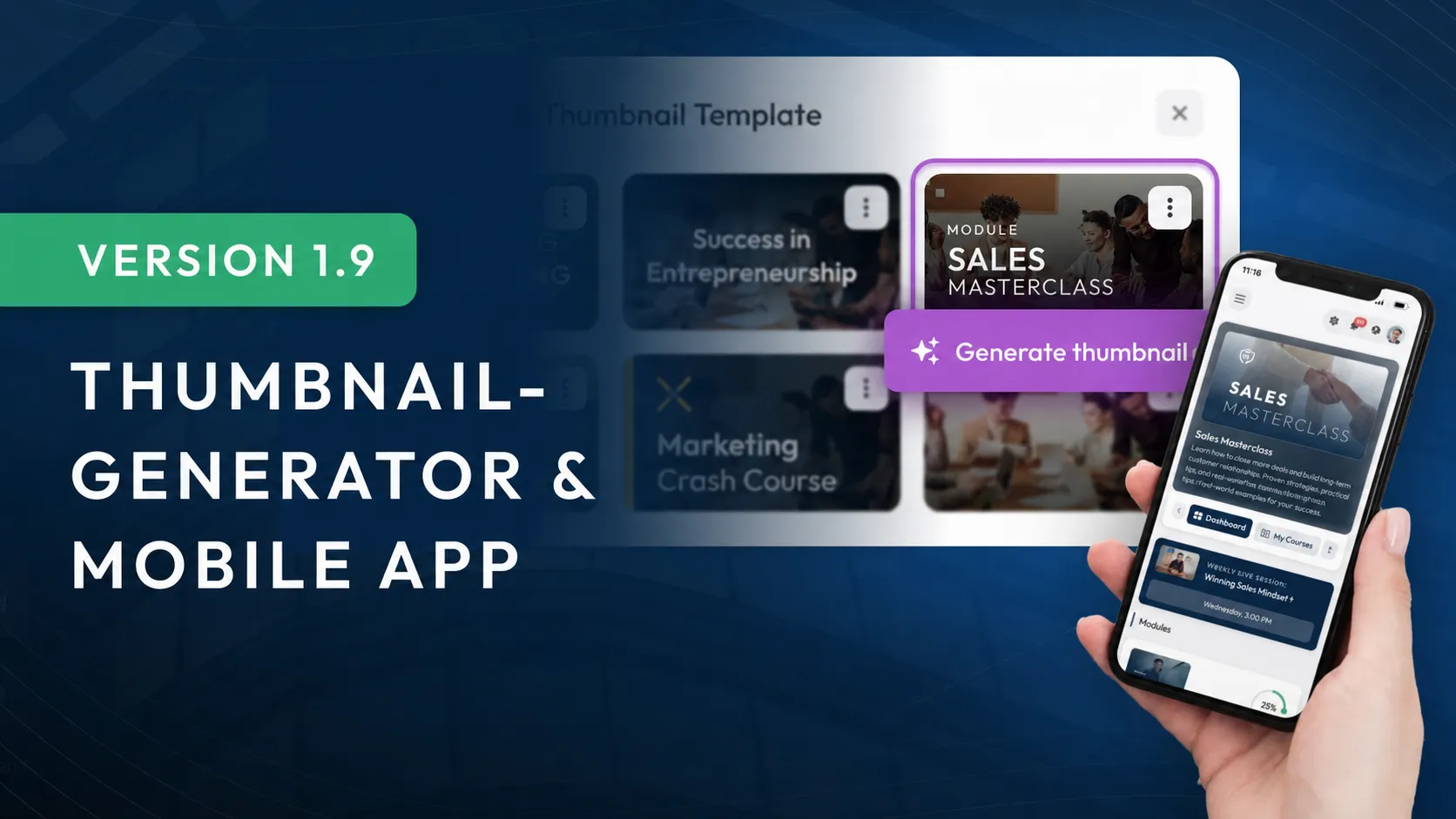
Version 1.9: Thumbnail Generator & Mobile App
With the new smartphone app, your members can now install LearningSuite as an app on their smartphones, complete with your logo and the name of your Academy.
The Thumbnail Generator and stock photo library integration make it easier than ever to quickly create engaging thumbnails for your content. That means your course can go live for your employees, customers, or coaching participants even faster.
But these are just some of the many features, improvements, and optimizations in this version.
Changes at a Glance:
- App for desktop & smartphone
- Thumbnail Generator
- Pexels integration
- Code element in the editor
- Checklist element in the editor
- 8 new Zapier actions
- Numerous optimizations and improvements
App for Desktop & Smartphone
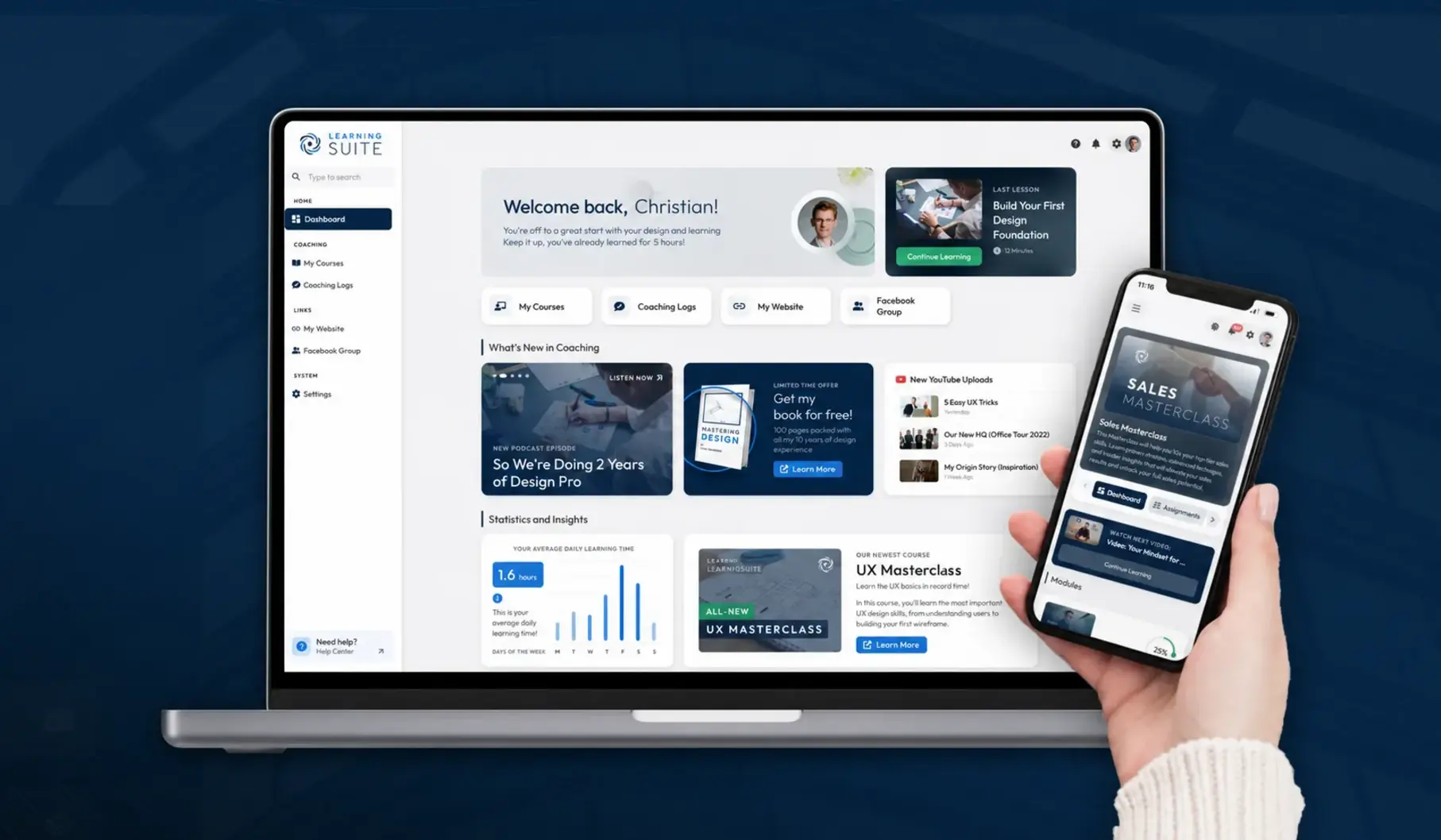
You can now install LearningSuite as an app on both your desktop device, such as a MacBook or Windows computer, and your smartphone, whether Android or iPhone.
Smartphone: The next time you log in, a popup will offer you the option to install LearningSuite as an app. This lets you experience LearningSuite in full-screen mode on your smartphone.
Desktop: Go to Settings in your account settings and click "Install App" to add LearningSuite to your desktop.
Thumbnail Generator
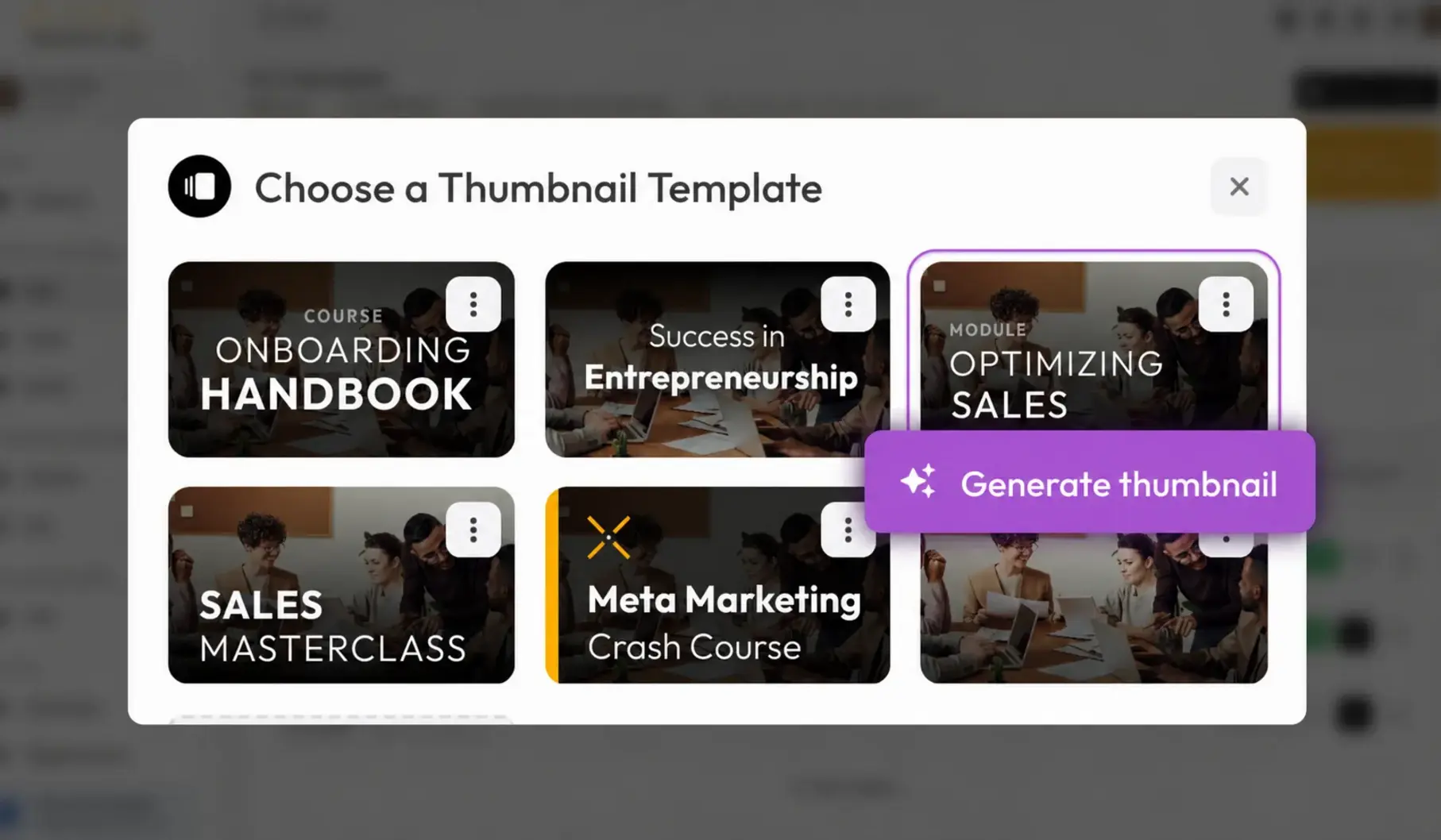
Don't want to spend a lot of time designing an attractive thumbnail yourself?
Then we've got the perfect solution for you: With our Thumbnail Generator, you can effortlessly create an attractive thumbnail in just a few clicks. The choice is yours: use one of our three templates or create your own, then reuse it for every course, module, and lesson.
The best part? You can add your logos and platform colors to your thumbnails. If you change anything in your brand design in the future, all thumbnails automatically adapt to the new logo or colors.
Here's how to use the new feature:
In the "Upload Image" section, which you can find in courses, modules, and lessons, you'll now see the "Thumbnail Generator" button. Simply enter a title and upload an image, and your professional thumbnail is ready.
Wondering which images work best? We've got a solution for that too – simply use our Pexels integration:
Pexels Integration

Pexels is a free stock photo platform that gives you access to professional photos from photographers around the world.
You can download these photos and videos for free and use them for both commercial and personal projects without attribution.
To make finding great photos even easier, we've integrated Pexels directly into LearningSuite. In the "Upload Image" section, which you can find in courses, modules, and lessons, we've added another button called "Stock Photos".
From there, you can browse a huge selection of images. The search function also lets you find exactly the photos you need.
Code Element in the Page Editor
Developers, take note! With the new code element, you can finally add code snippets with proper code highlighting.
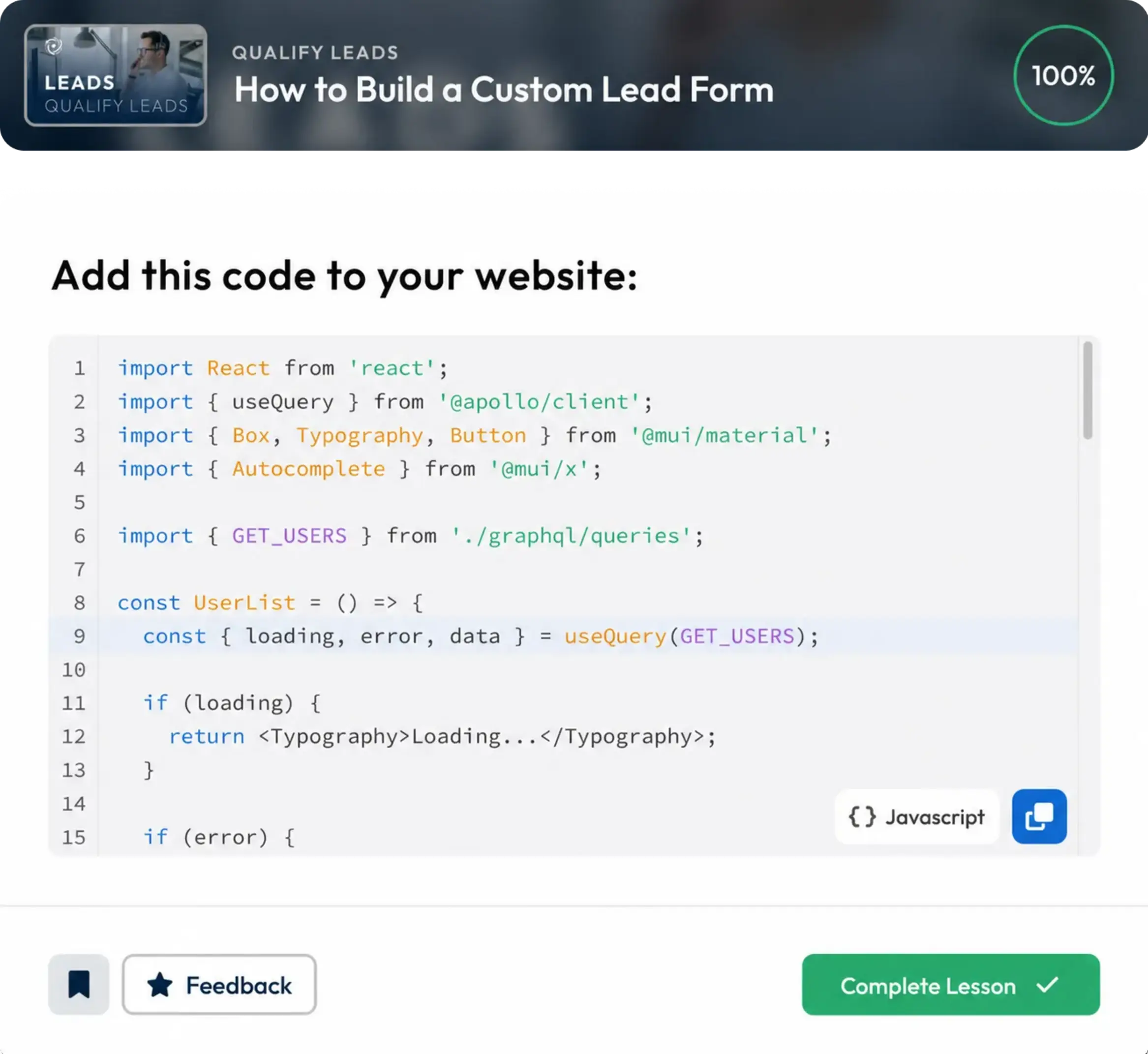
We Currently Support the Following Programming Languages:
- Java
- Bash
- JSON
- Python
- JavaScript
- CSS & HTML
With the highly visible "Copy" button, members can effortlessly copy the code and paste it wherever they need it.
Checklist Element
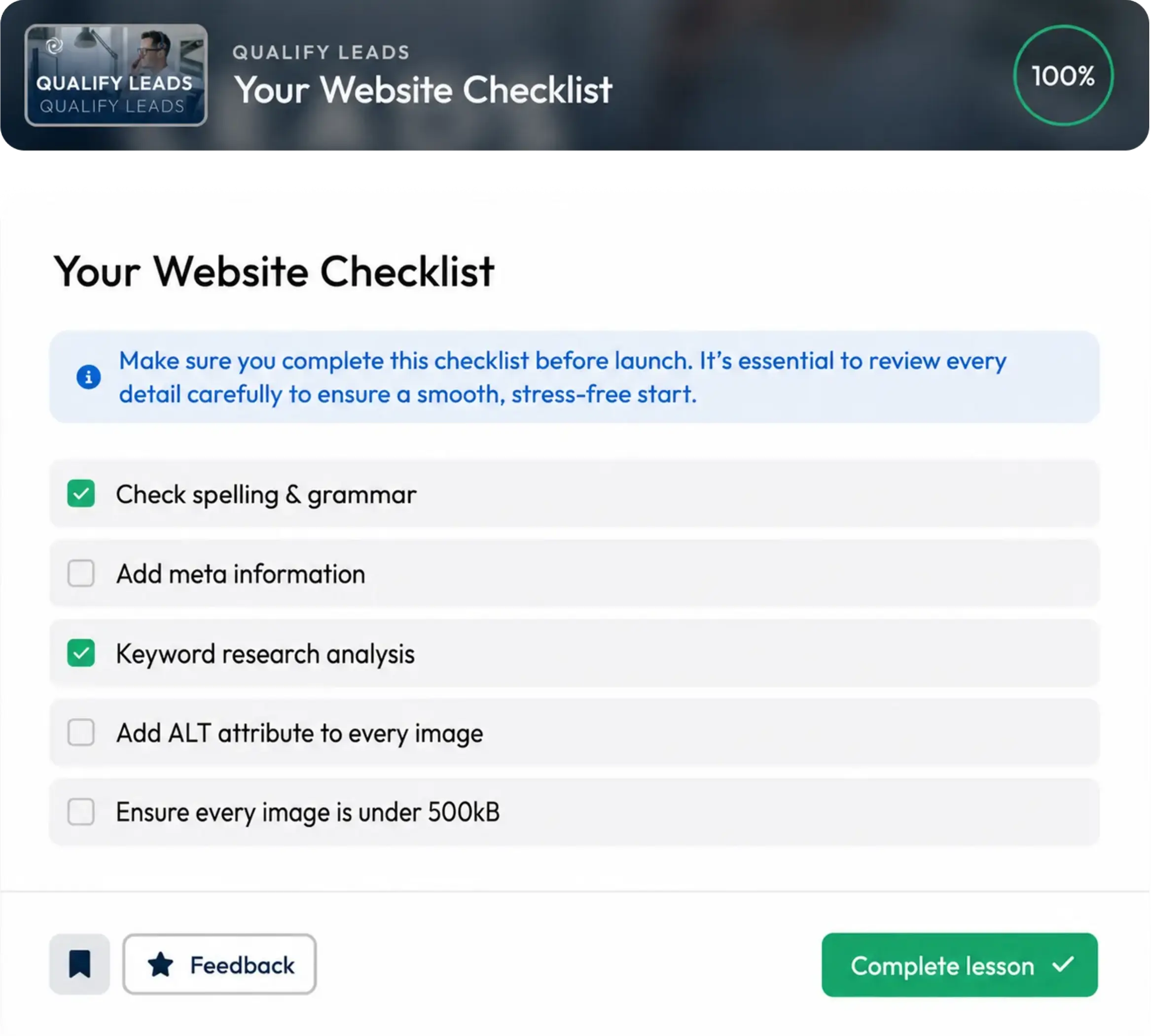
You asked for it, and we're making it happen: The page editor now also includes the new "Checklist" element. Use it to create a checklist for your members, so they can track and check off their progress, tasks, or goals in a structured way.
8 New Zapier Actions
We've added the following actions:
- Delete User
- Remove User from Hubs
- Remove User from Courses
- Remove User from Bundles
- Remove User from groups
- Edit User data (all attributes)
- Request Course access for Users (including Course progress evaluation)
- Create Lesson (for automatically creating lessons for live call recordings using a video URL)
Important: These actions will also be added to Make in the coming weeks.
More Improvements:
- To make searching for Hubs even easier, you can now also search the Hub's internal notes
- The Hub description is now also rendered in popups
- Loading times for large numbers (1,000+) of submissions have been drastically reduced
- The Excel import now also supports uploading CSV files
- With the Excel import, you can now also grant existing users access to additional content
- The video recorder's performance has been improved, along with design updates such as a lighter background with a blur effect
- We've also added help articles to the video recorder, so you can quickly get help with common issues
- In the editor, you can now use a triple-click or Ctrl+A (Windows) or ⌘+A (macOS) to select an entire element
- Settings are now organized more clearly. You can now find sent emails under "Email Settings," and the "My LearningSuite" tab now has 2 tabs for better organization
- More minor improvements and optimizations across the platform