.svg)
Version 1.4: Excel User Import & Email Editor
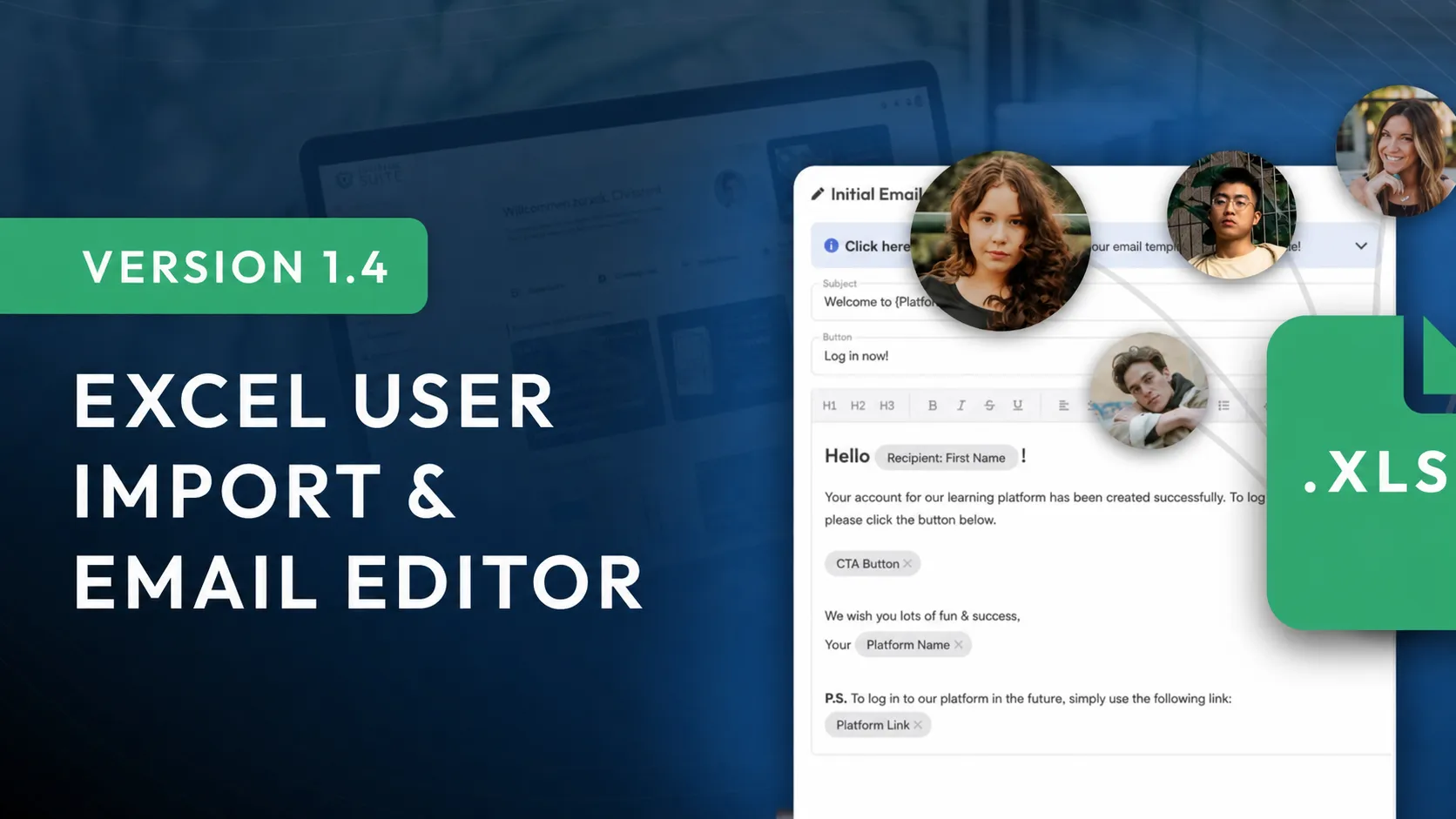
A completely new email editor that lets you tailor your emails precisely to your brand, plus the ability to import thousands of users from Excel in one go, are just two of the many new features we added in update 1.4.
As always, we've also made further optimizations and improvements to give you the best possible user experience in the e-learning market.
All Changes at a Glance:
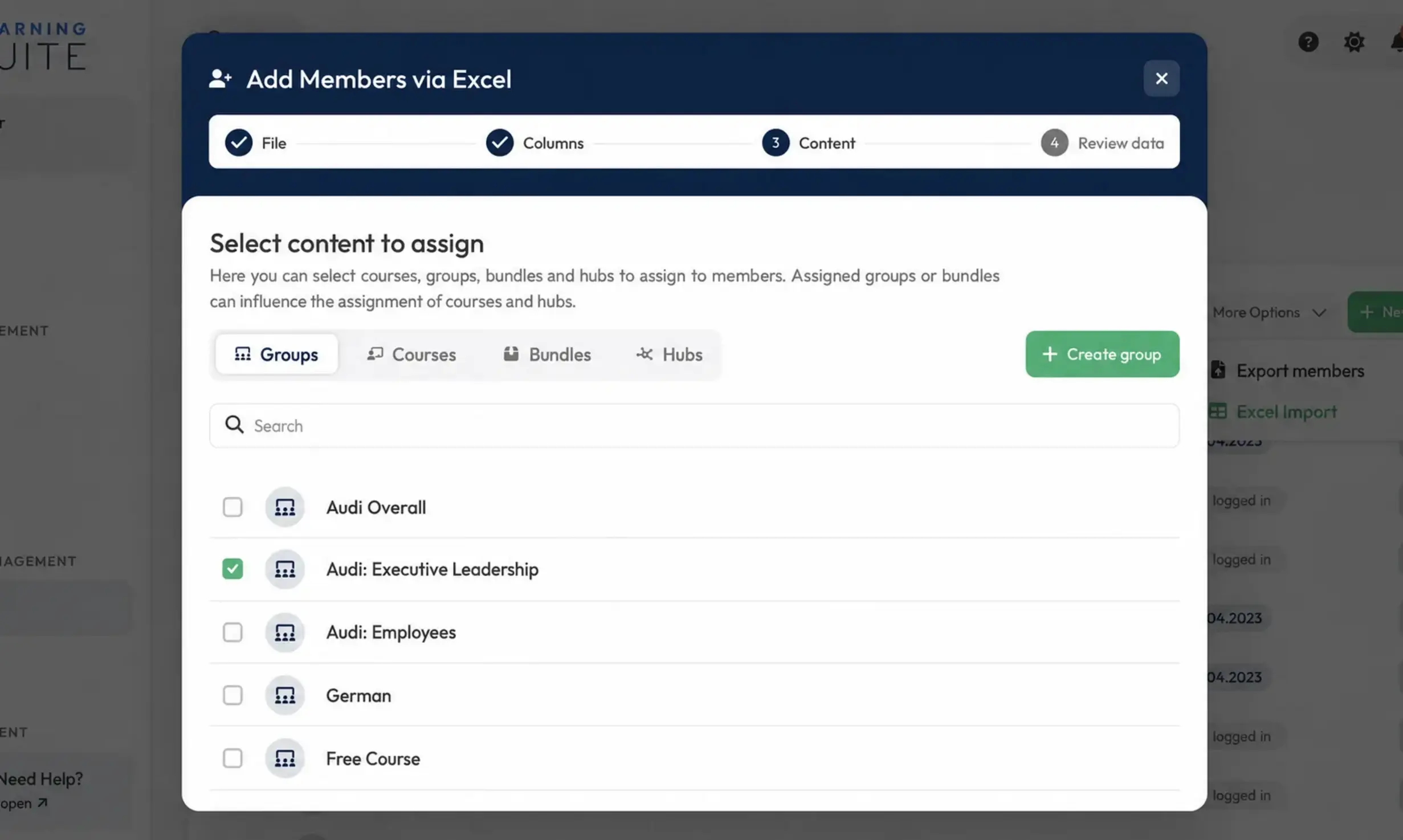
- Groups & Bundles in Excel import
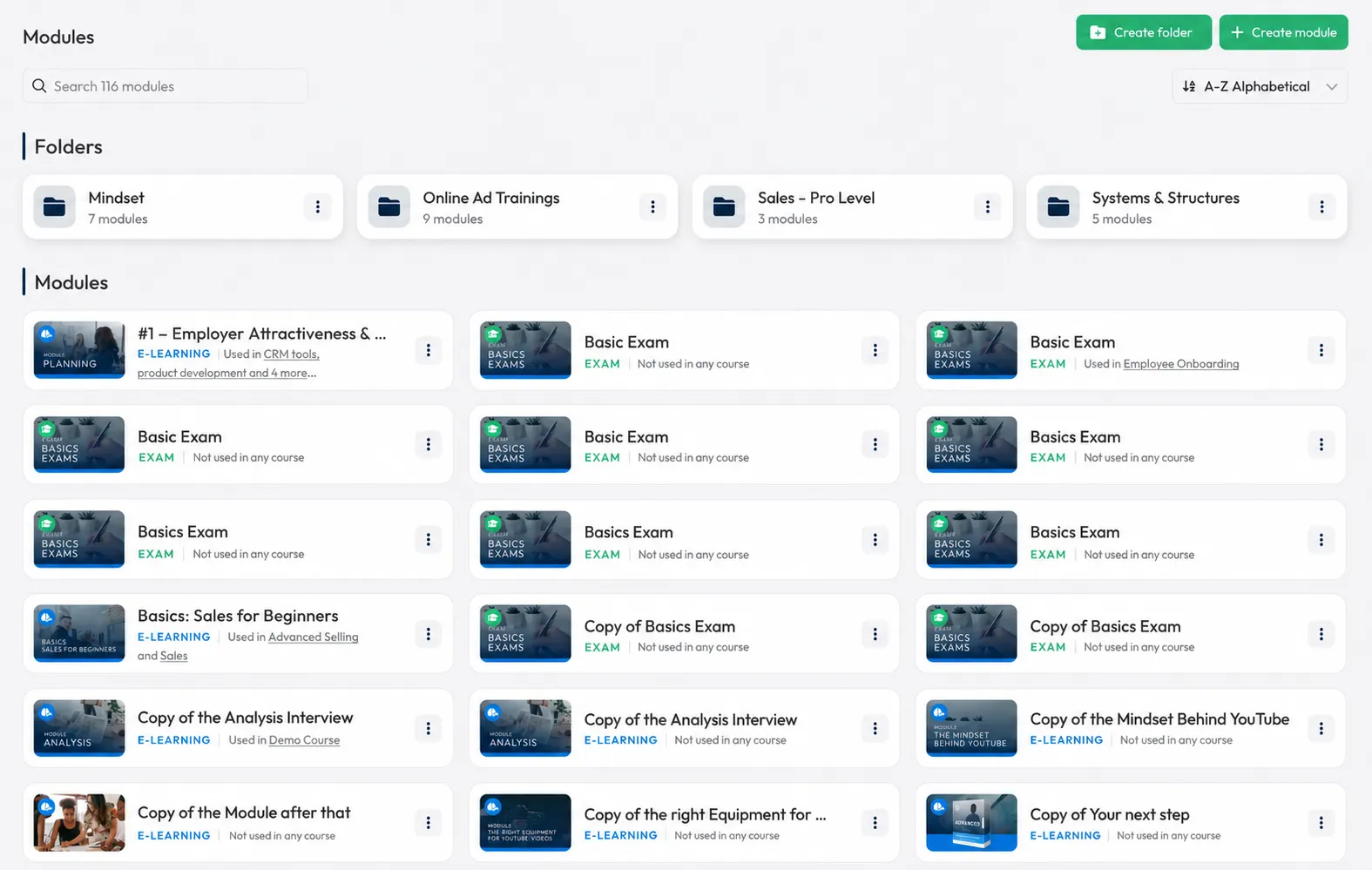
- Search & sorting for modules
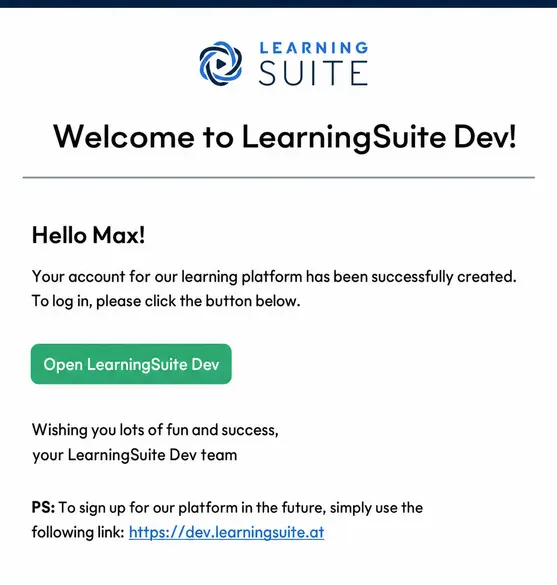
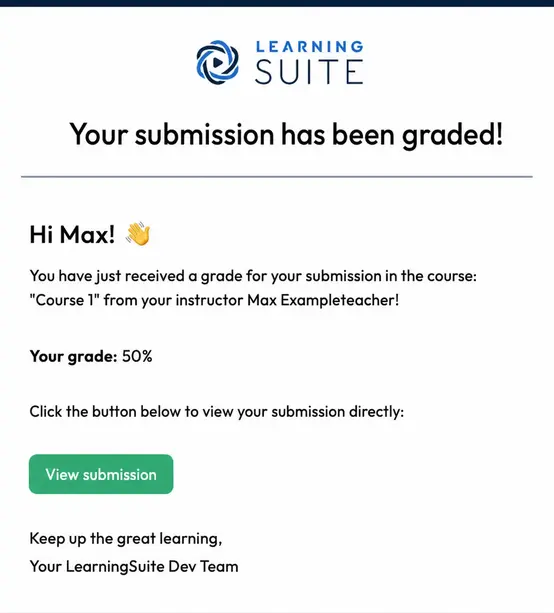
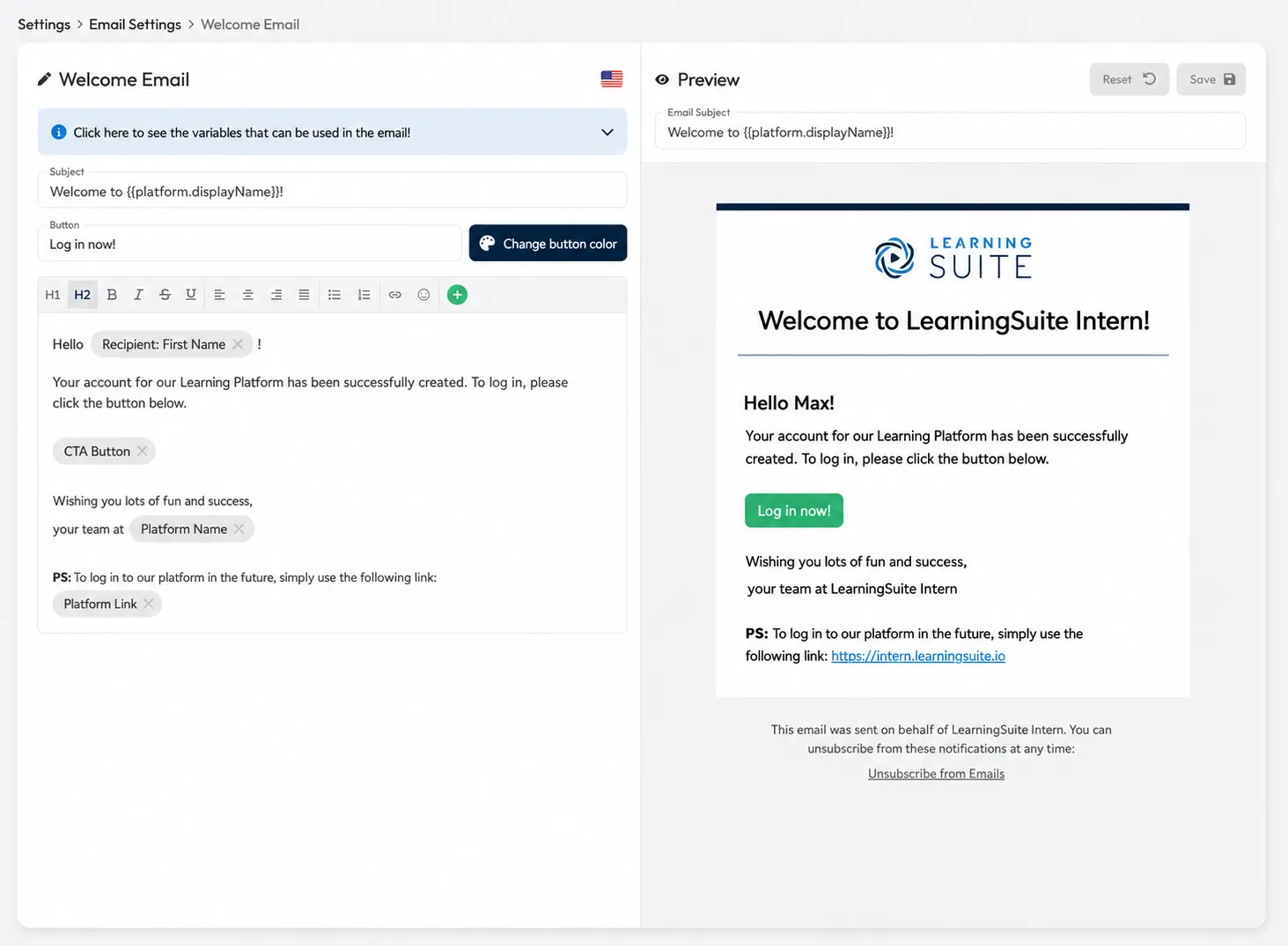
- Emails have a completely new design
- Emails have revised default copy
- Email editor has been redesigned
- New email: Course update
- Automatic time calculation for lessons
- Improved video recording resolution
- Videos in the editor can now be downloaded
- Easy module desynchronization
- Numerous bug fixes & optimizations
Groups & Bundles in Excel Import
We've made it even easier to transfer users from other platforms. When importing users from an Excel list, you can now also assign groups & Bundles.
Search & Sorting for Modules
You can now search and sort folders and modules directly within Modules.
Emails Have a Completely New Design
Every email we send has received a design update. These new emails display perfectly in all email clients. In Outlook, the logo may not display, as Outlook doesn't load images by default.
Emails Have Revised Default Copy
Thanks to a wide range of new variables in the email editor, the default copy for all emails has now been revised. We recommend resetting all emails and customizing the template however you like.
Email Editor Has Been Redesigned
You can customize every email sent through LearningSuite exactly how you want. Every email gives you access to different variables. For example, when a submission comes in, you can now display the name of the Member who sent it directly in the email.
New Email Notification: Course Update
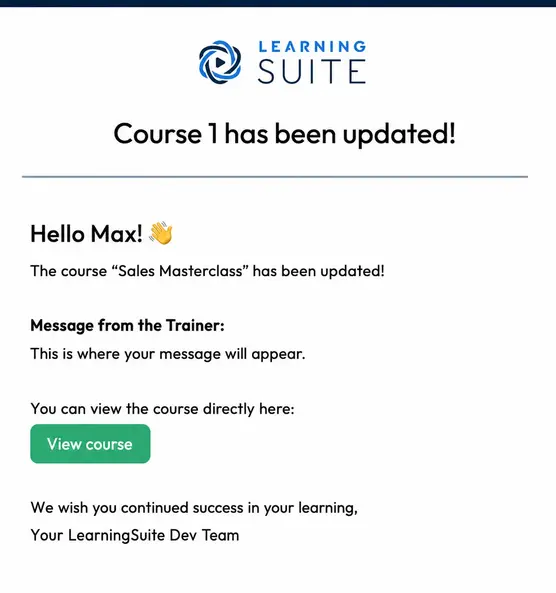
You asked for it, and we made it happen. When you update a Course, you can now choose to notify Members of every update by email with a personalized message. You'll now find a checkbox when updating a Course that asks whether you want to send an email.
Automatic Time Calculation for Lessons
Lesson time is now calculated automatically based on the media content it contains. That means if your page includes a 2-minute audio file and a 3-minute video, the page time automatically totals at least 5 minutes. You can also add more time manually, for example when you include interactive content, tasks, or text.
Video Recording Resolution
Video recording resolution has been significantly optimized. What's more, you can now increase the resolution to 1080p (Full HD). That makes screen recordings better than ever. Just make sure your laptop has the necessary processing power :)
Videos in the Editor Can Now Be Downloaded
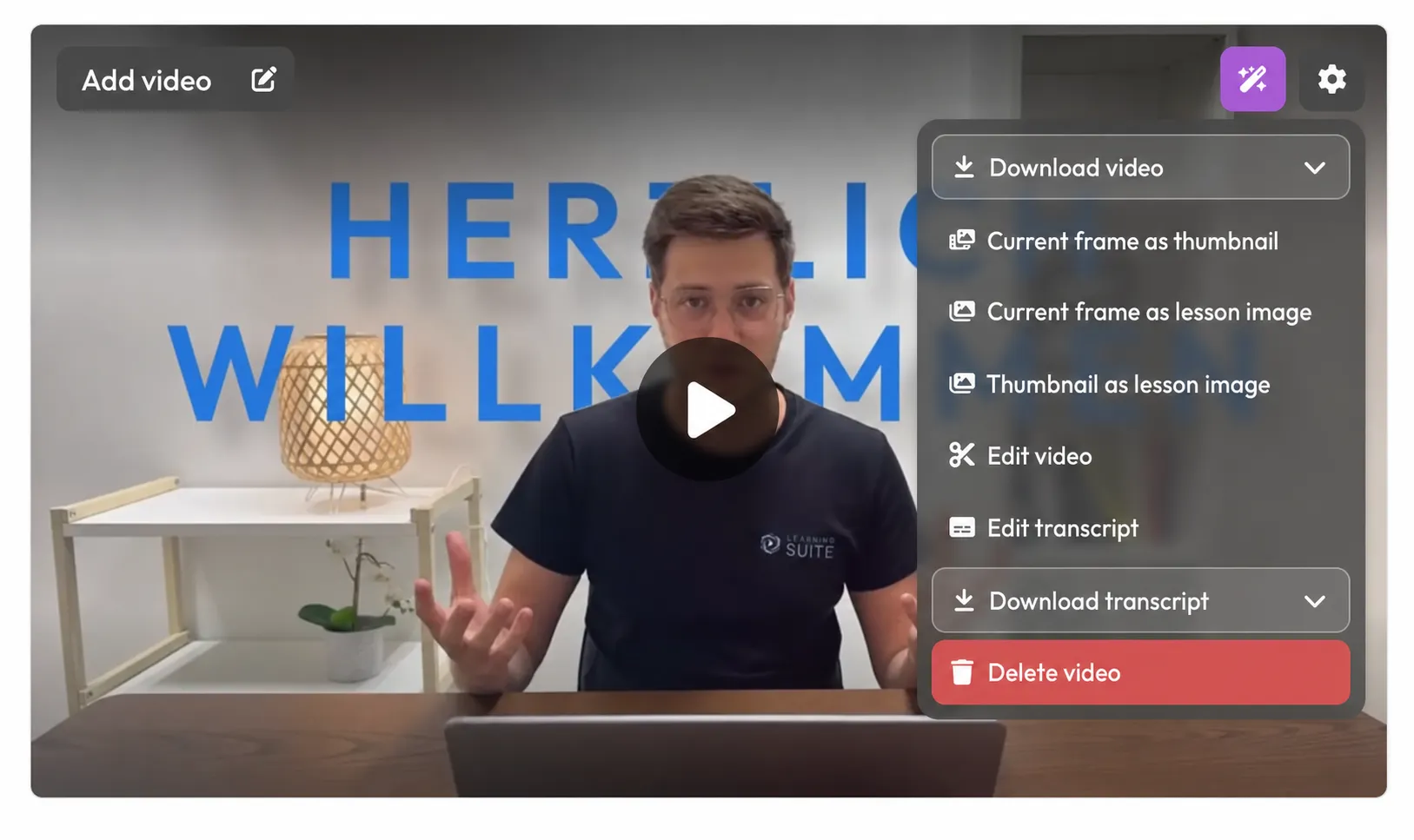
You can now download videos from the editor at any time.
Easy Module Desynchronization
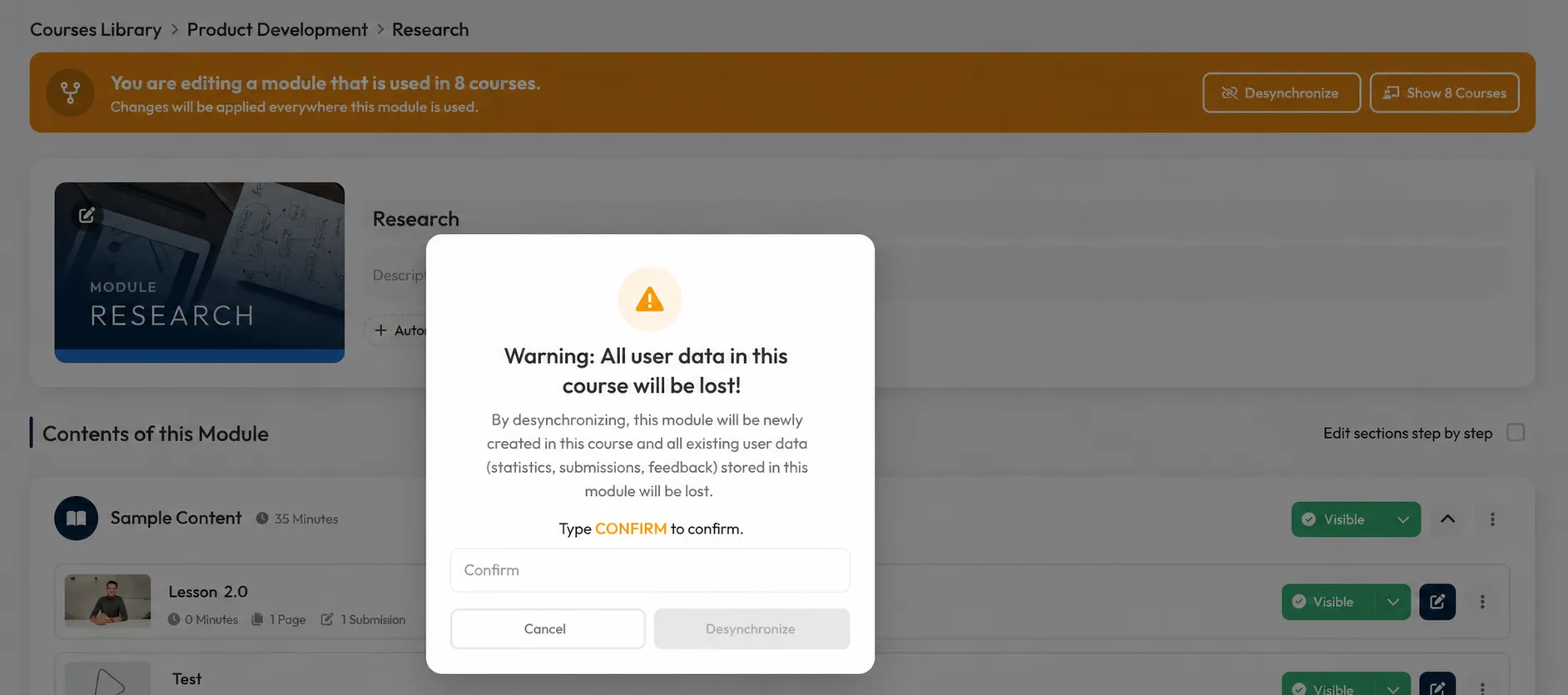
You can now disconnect Modules that you need to adapt for certain Courses from other Courses directly using the "Desynchronize" button. This saves you time, since you previously had to duplicate the Module manually.
Numerous Optimizations
- Some devices experienced interference during audio recording. This no longer occurs.
- The video recorder design has been optimized and is now even easier to use
- The import popup for importing Modules has been visually optimized
- The maximum corner rounding in the design settings has been slightly reduced
- Many smaller bug fixes and optimizations to give you an even better LearningSuite experience