.svg)
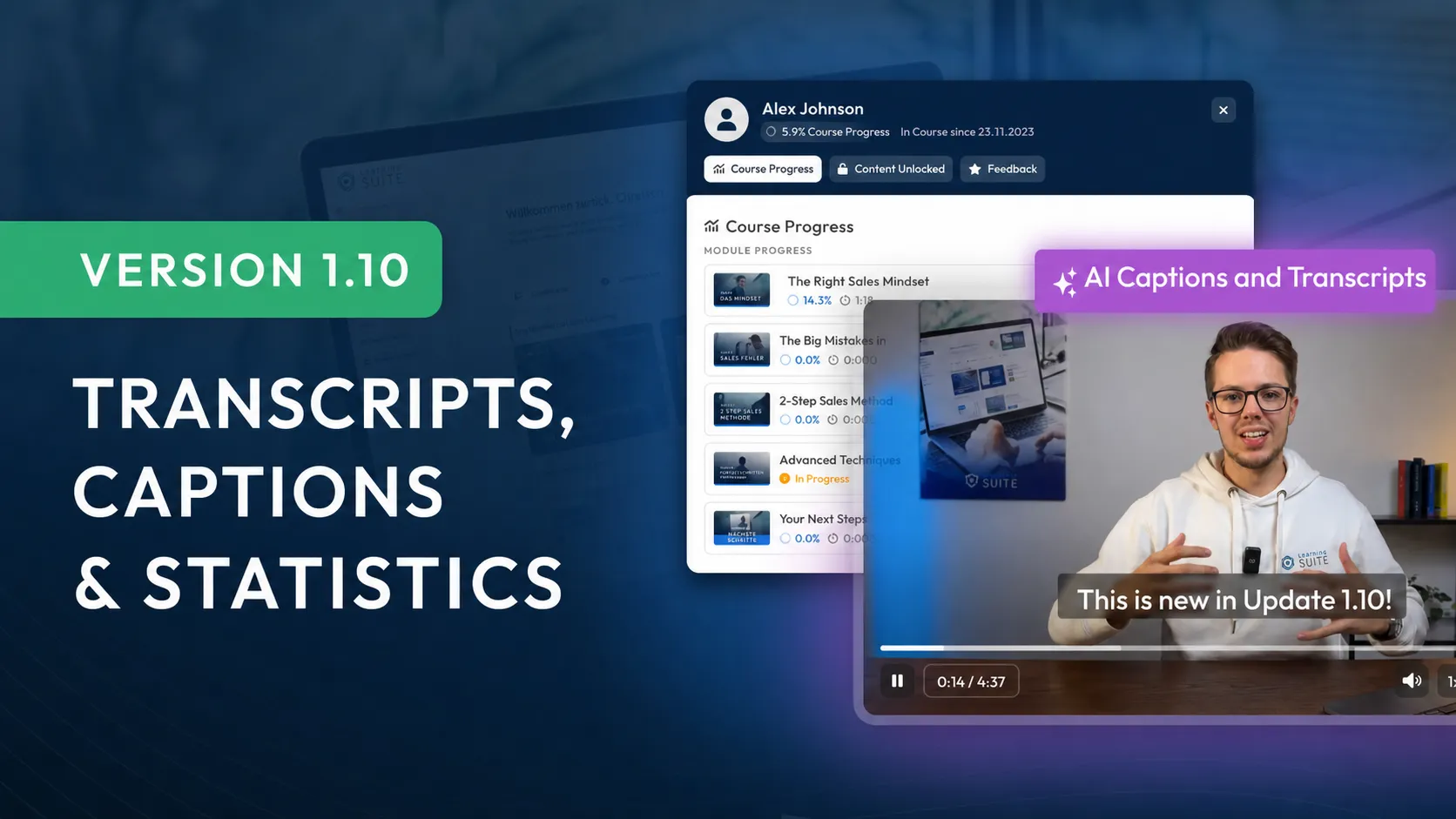
Version 1.10: Transcripts, Captions & Statistics
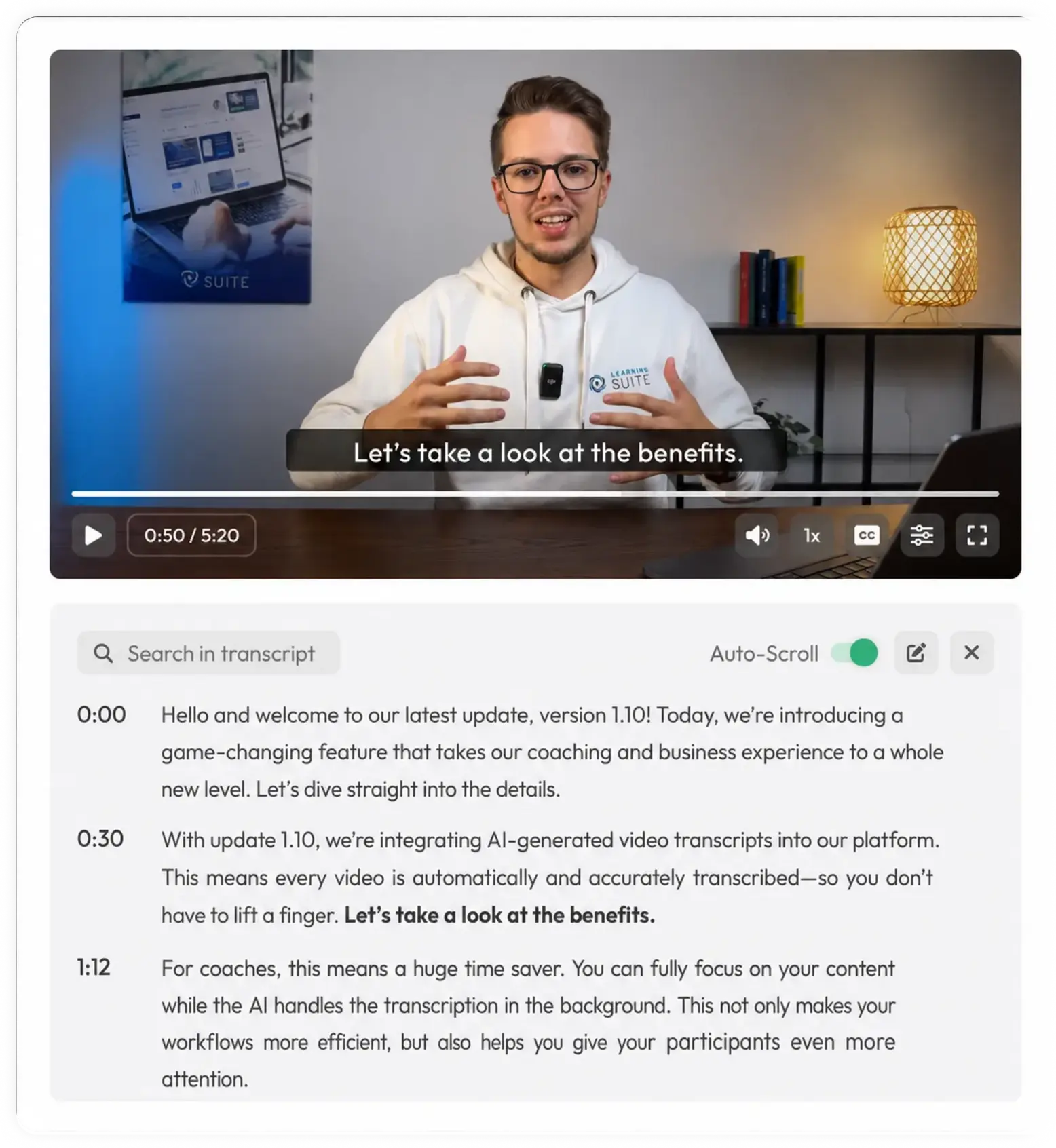
All videos uploaded to LearningSuite can now optionally be transcribed by AI for free. The AI model runs on our own EU servers, so no data is shared with third parties.
That means for you: Every video can now have automatically generated captions, and viewers can open and follow along with the transcript below the video. But that's not all. You can even find content from these transcripts in the global search.
The automatically generated transcripts are significantly better than what you may be used to from YouTube, for example. Grammar and spelling are almost always perfect, and accents such as our Austrian German—as well as other languages—are understood.
But that's only part of what's new. We've made improvements and optimizations in over 100 areas to ensure every detail lives up to our high quality standards and gives you, as a user, the best possible experience.
Captions & Transcripts for Videos
All videos uploaded to LearningSuite can now optionally be transcribed by AI for free. The AI model runs on our own servers, so no data is shared with third parties.
This gives you and your users the option to add captions to every video and view a separate transcript to follow along with. This feature is especially useful for visual learners, helping them follow and retain what's being said in the video more easily.
Search Now Finds Transcripts, Too:
One major advantage of transcripts is that their content can now be found in the global search. And the best part? As soon as you click a search result, you'll jump straight to the exact point in the video where the search term appears.
This substantially improves search and can reduce support effort, as members can now conveniently find all content through our search.
More Changes in Version 1.10 at a Glance:
- More detailed statistics in courses
- Video player improvements
- App settings
- Welcome popup
- Configurable email sender
- Replies to member feedback
- Video speed in the video cutter
- Numerous optimizations and improvements
Detailed Statistics in Courses:
We've expanded the statistics in our courses. You can now view detailed statistics on the progress of individual users. Click the "User Statistics" button for precise information about a user's progress.
You'll see how far the user has progressed through each piece of content, how much time they've invested, and whether they currently have access to the content:
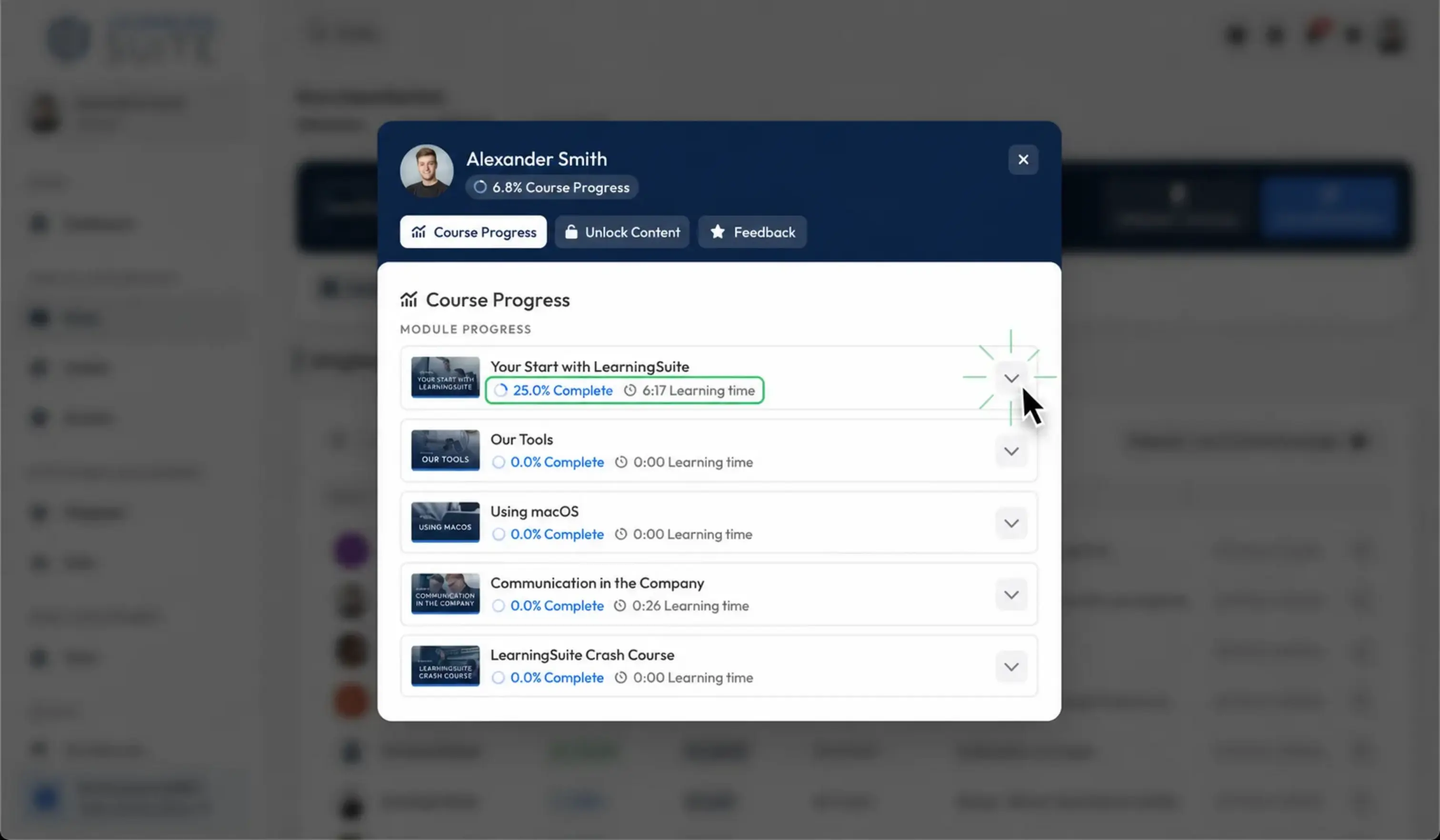
You'll also see the new course user popup. Use tabs to easily switch between statistics, feedback, and granting access to individual content.
Video Player Improvements
Our video player has received several improvements. You'll now see a preview image on the slider, along with additional animations and keyboard shortcuts.
We've also enlarged the slider's click area and improved its precision, making it easier to find the exact spot in longer videos.
We've also introduced subtle animations when starting and stopping videos, as well as when fast-forwarding and rewinding.
Here are the new keyboard shortcuts:
- "M" to mute
- Up arrow (↑) to increase volume
- Down arrow (↓) to decrease volume
App Settings
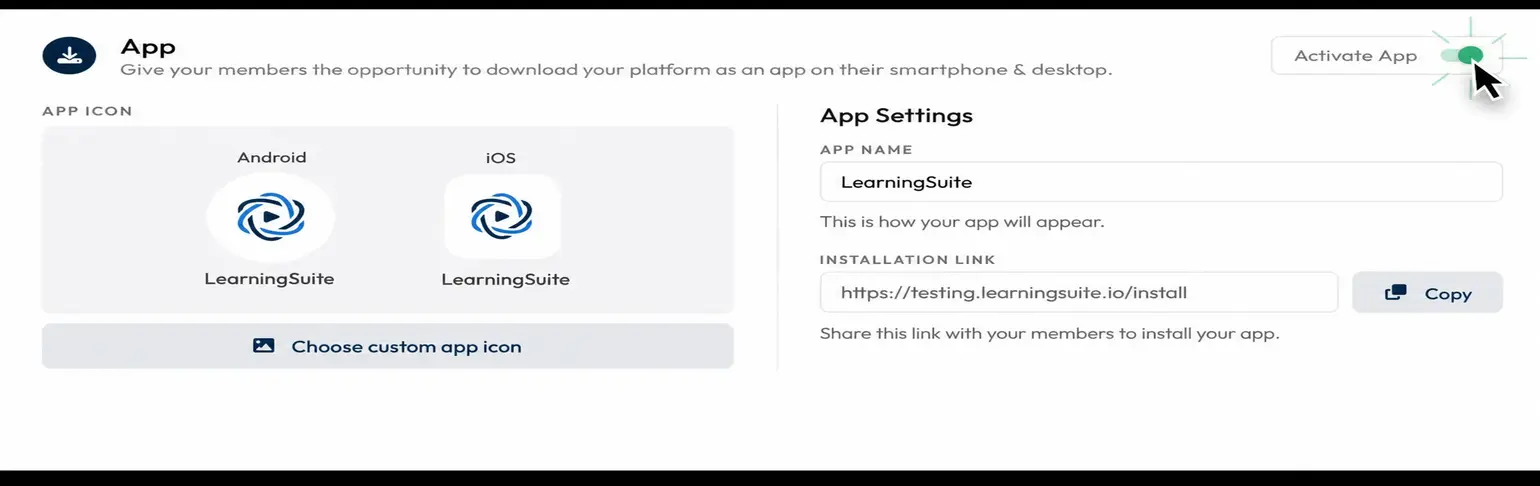
Under "Settings" → "My LearningSuite" → "Login & App," you can now customize your app settings.
Here, you can change the app's name and icon, as well as copy the installation link to share with your members. When your members click the link, a popup opens and prompts them to install the app.
Welcome Popup
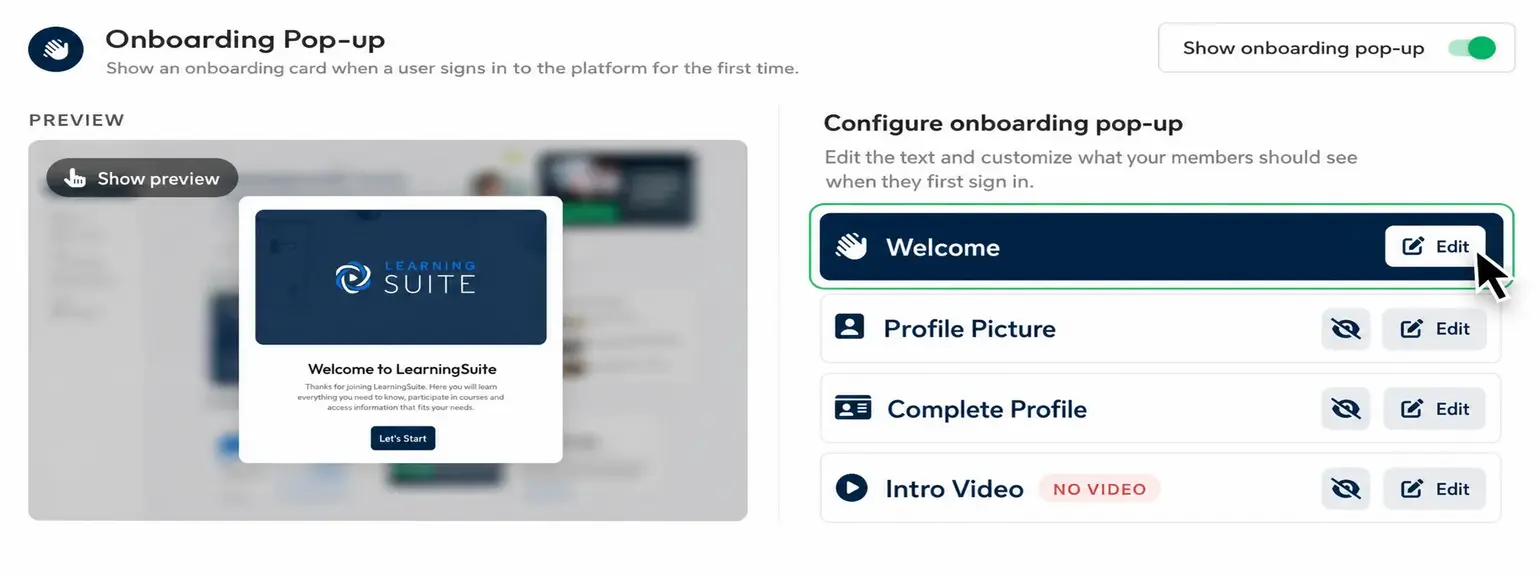
With the new welcome popup, you can create a welcome window that greets new members the first time they log in to LearningSuite.
In this popup, you can set up a personal message and showcase a welcome video. You can also ask your members to upload a profile photo or review their details. This reduces support effort if typos occur.
You'll find the popup settings under "Settings" → "My LearningSuite" → "Login & App"
More Improvements:
- Submissions & files are now shown in the module overview
- The video cutter now includes a playback speed control
- You can now configure the email sender name under Settings → "My LearningSuite"
- You can now filter by bundles in the member overview
- Statistics performance has been drastically improved
- You can now set the color for the course widget in the Hub
- Submissions now also show the module and section name
- You can now reply to member feedback. An email is sent to the respective member.
- Numerous bug fixes & optimizations